Thumbnails Shorts Comments Suggested videos The video you came for.

Nerfed is a Chrome extension that hides the parts of YouTube that compete for your attention. Switch each one off from the toolbar.

Coming soon to the Chrome Web Store

YouTube, with less in the way

Everything is a switch in the menu, and changes apply straight away to any open YouTube tab.
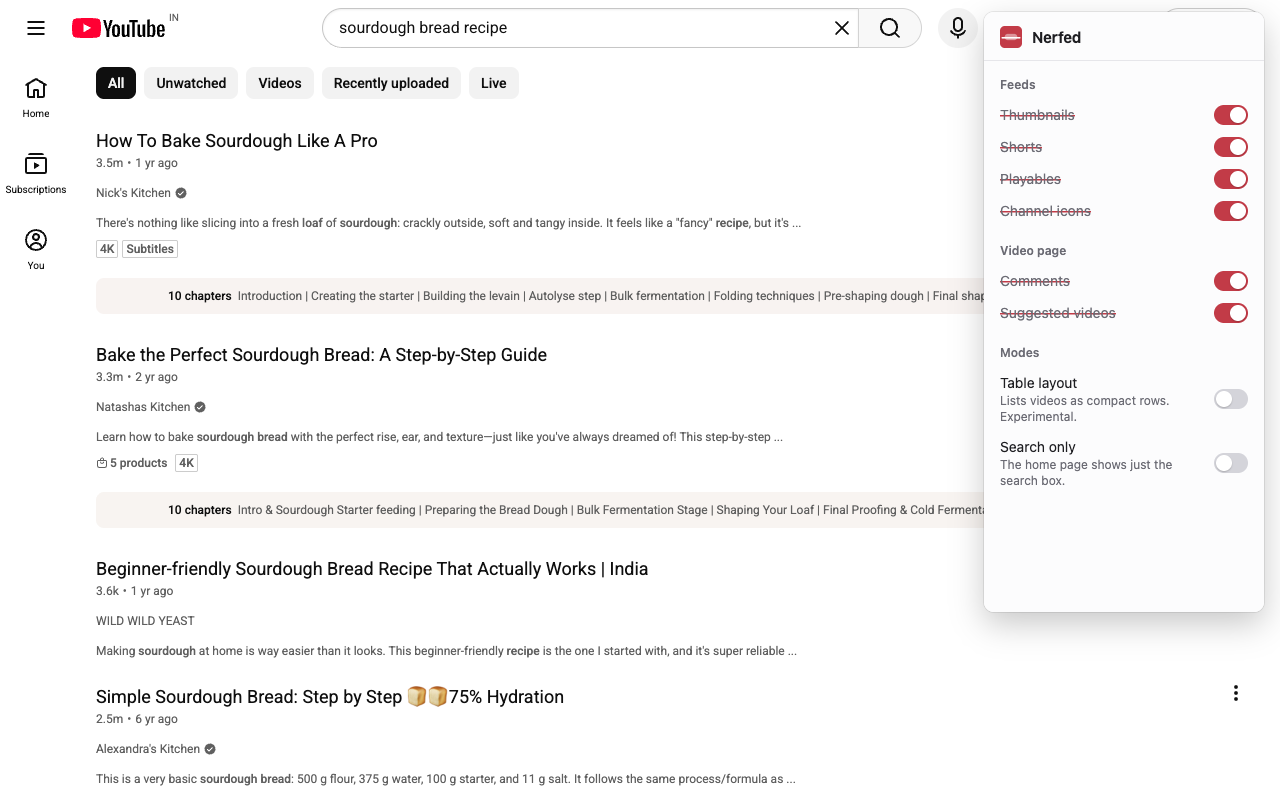
YouTube search results without thumbnails or channel icons, with the Nerfed menu open showing its switches.
Text instead of thumbnails. Search results and feeds show title, channel and views.
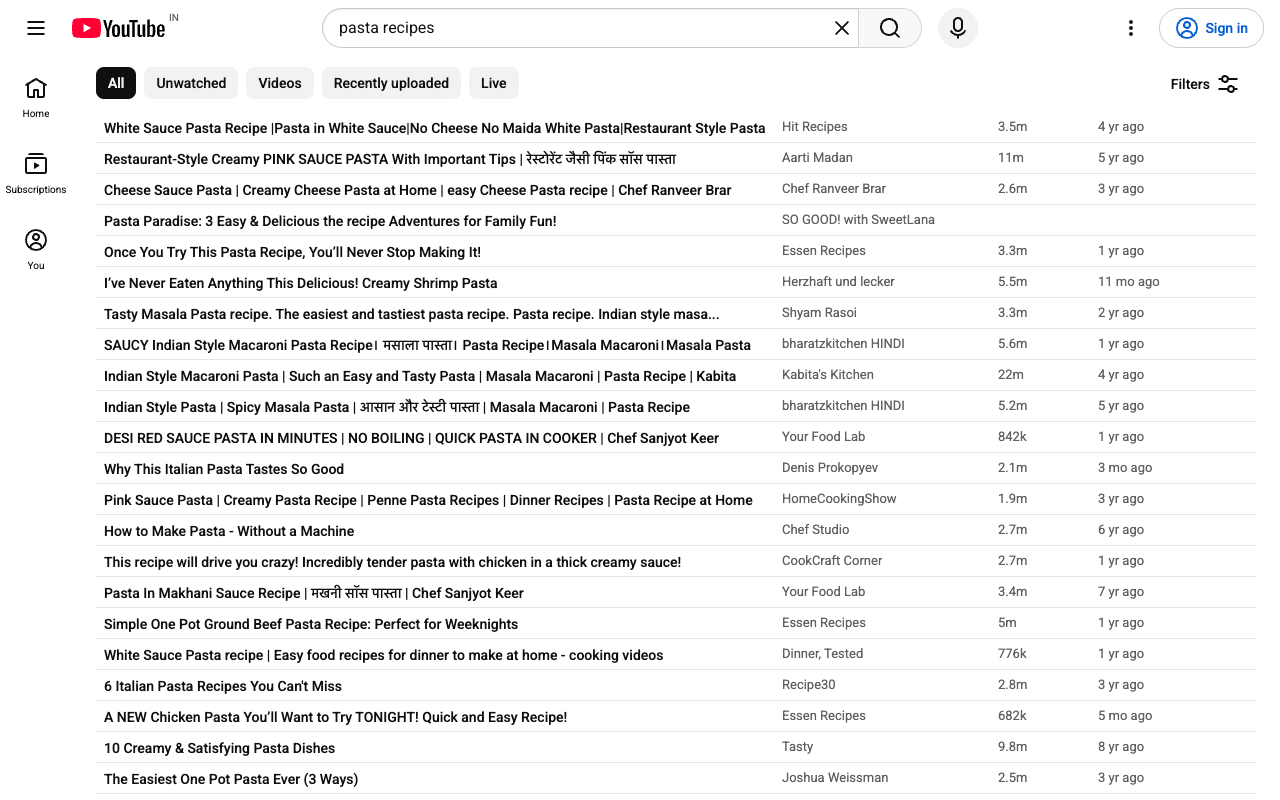
YouTube search results shown as a table: one row per video with title, channel, views and age.
Table layout. One compact row per video: title, channel, views, age.
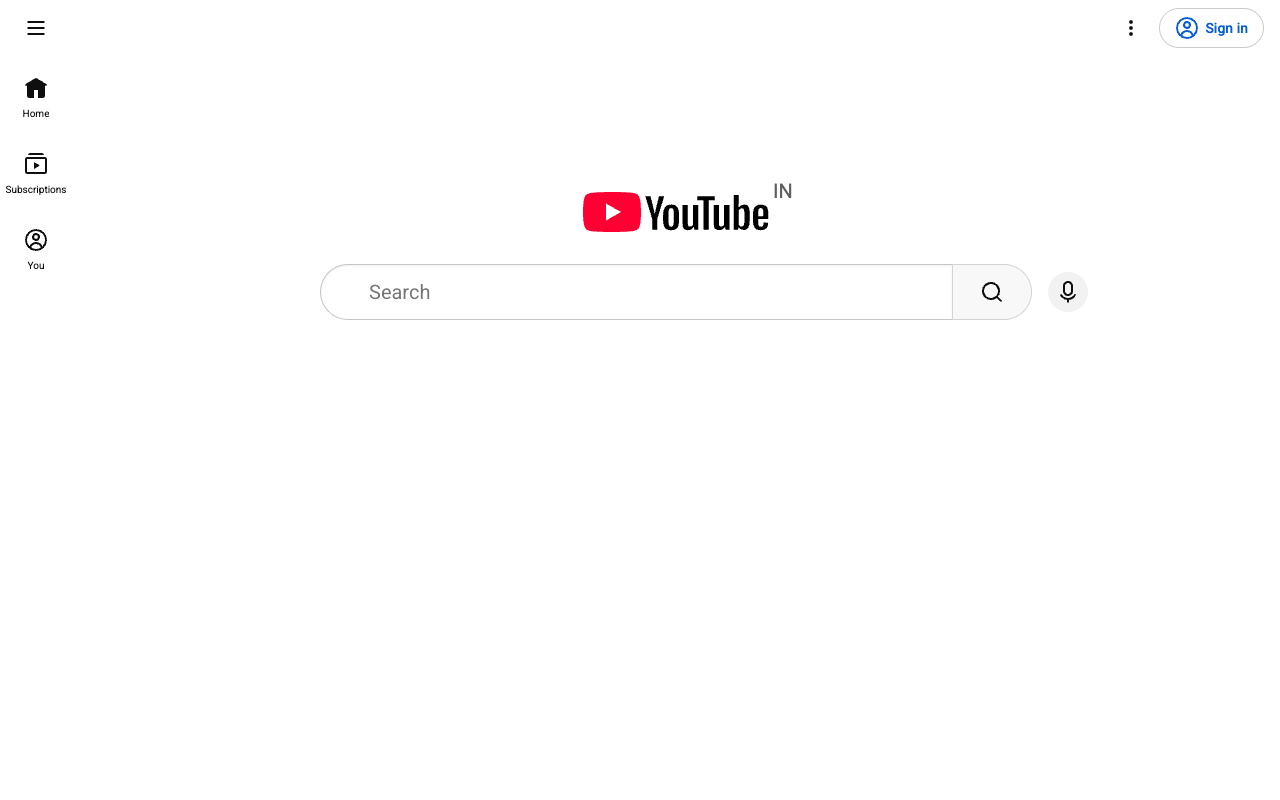
YouTube's home page showing only the logo and a large search box.
Search only. The home page is just the logo and a search box.
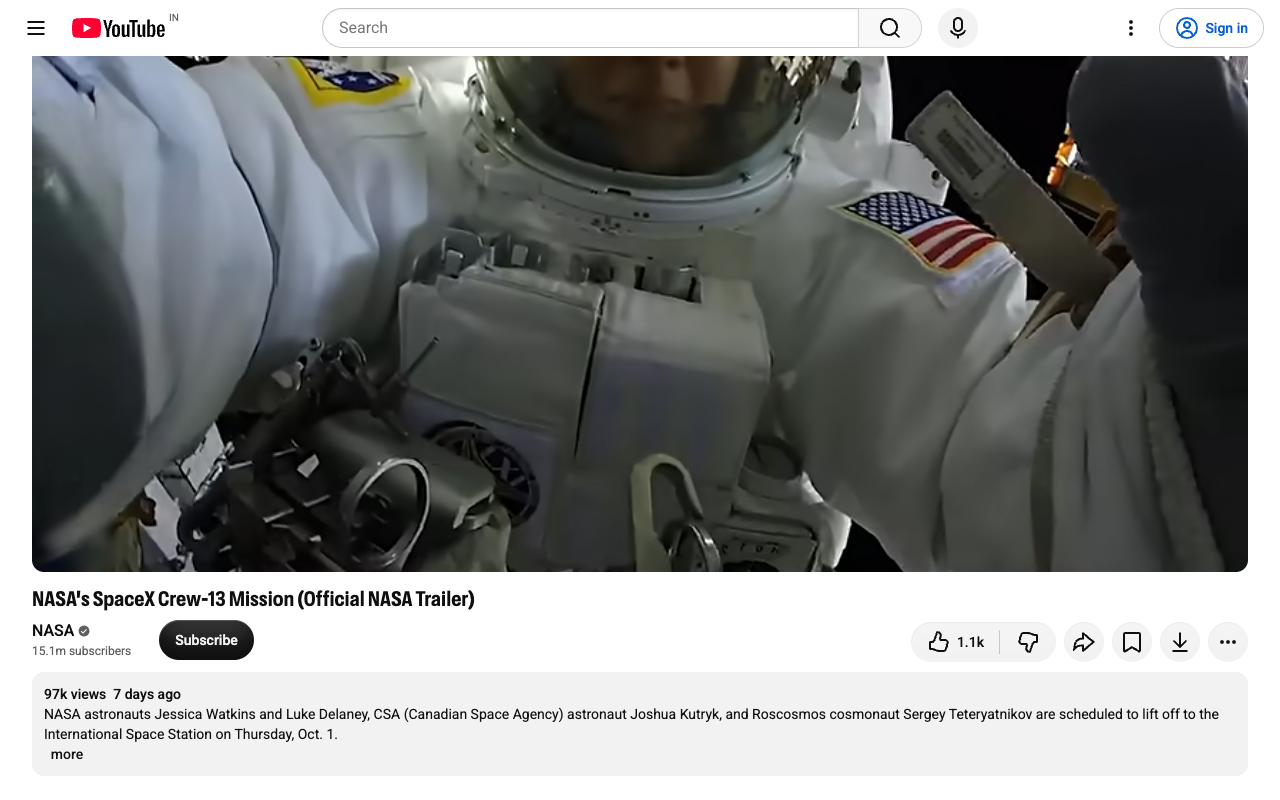
A YouTube video page with a large centred video and no suggested videos column.
Video pages. No comments, no suggestions; the video gets the room.

What you can switch off

The hide options start on; switch any of them back off.

Feeds

Thumbnails
Video cards become text: title, channel, views and age.
Shorts
Shelves and single Shorts go, and Shorts links open in the regular player.
Playables
YouTube's games are removed.
Channel icons
No avatars next to videos, comments or posts.

Video page

Comments
The comments section is removed and never loaded.
Suggested videos
The recommendations column goes, so the video is centred and larger. Playlists and live chat stay.

Modes

Table layout
Feeds and search results as a compact list. Experimental.
Search only
The home page shows just the logo and a large search box.

One mode at a time. While a mode is on, the feed options stay on.

Nerfed collects nothing

It runs only on www.youtube.com, makes no network requests of its own and has no analytics or tracking. Your settings are kept by Chrome.

Read the privacy policy